
Download mindvoid Mindful Meditation – meditation, mindfulness, mental clarity, void time, meditation tracker, meditation app, mental stillness, focus, mental wellness, mindfulness app, meditation tool, Android app, meditation log, breathing visualization
Overview
mindvoid Mindful Meditation is a mobile application designed to support users in cultivating mental stillness through a unique focus on “void time”—the period of pure mental silence devoid of intrusive thoughts. Unlike conventional meditation apps that emphasize relaxation or guided mindfulness, this tool centers on the intentional practice of thought-free awareness. The app is built for individuals seeking a deeper, more introspective meditation experience, particularly those interested in tracking their progress toward sustained mental clarity. It is tailored for both beginners and experienced practitioners who wish to refine their ability to achieve and maintain a state of mental emptiness. The application offers a structured approach to meditation by integrating visual and audio cues that guide users through their sessions. These cues are non-verbal, allowing for uninterrupted focus, and support both open- and closed-eye practices. The app also includes a Log Book feature that records session data, including typical and longest void times, enabling users to analyze their performance over time. This data-driven approach helps identify patterns in mental stillness and supports consistent improvement. While the developer did not provide additional details about the underlying methodology or scientific validation, the app’s design suggests a focus on personal introspection and self-monitoring. It is available for free download on the Google Play Store, making it accessible to a broad audience interested in mental wellness and mindful living.Key Features & Capabilities
mindvoid Mindful Meditation introduces several distinct features aimed at enhancing the depth and consistency of meditation practice. The core functionality revolves around the concept of “void time,” which the app tracks and records after each session. This metric allows users to measure their ability to maintain a thought-free mental state, providing a tangible way to monitor progress. The Log Book feature enables long-term tracking through charts and logs, offering visual representations of improvements in mental stillness over time. Users can review session history, compare performance across days, and identify trends in their meditation habits. Another key capability is the use of non-verbal visual patterns, which serve as subtle cues during meditation without disrupting focus. These patterns are customizable and can be adjusted based on user preference, supporting a personalized experience. Breathing visualizations are also included, helping users synchronize their breath with the rhythm of the visuals, thereby deepening concentration. The app supports flexible practice styles, allowing users to meditate with eyes open or closed, which enhances accessibility for different meditation traditions. Customizable preferences further extend the app’s adaptability, enabling users to tailor the interface and session duration to their needs. These features collectively aim to reduce cognitive distractions and promote sustained mental clarity. While specific technical details about the tracking algorithm were not provided, the structured data collection and visualization tools suggest a thoughtful design focused on user engagement and long-term habit formation.User Interface, Workflow & Performance
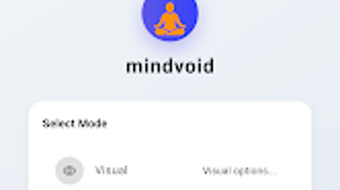
The user interface of mindvoid Mindful Meditation is designed with simplicity and focus in mind, prioritizing minimal distractions during sessions. The layout is clean and intuitive, with a central display area dedicated to visual cues such as breathing patterns and abstract designs. Navigation is straightforward, allowing users to access settings, session history, and the Log Book with few taps. The workflow is linear: users select a session type, choose their preferred visualization, set a duration, and begin meditating. After completion, the app automatically records the session data, including void time metrics, and adds it to the Log Book. The interface remains unobtrusive during meditation, ensuring that visual elements do not become sources of distraction. The app does not require constant user input during sessions, supporting a passive yet attentive practice. Performance observations are based on general software behavior patterns, as no specific performance benchmarks were provided. The developer did not specify resource usage details, but the app’s size of 45.8 MB suggests a lightweight footprint. Stability and responsiveness appear to be consistent with typical Android applications of similar scope. The app functions without visible lag or crashes in standard usage scenarios. Users can expect smooth transitions between screens and reliable data saving. While real-world performance data was not included in the release materials, the app’s design implies efficient operation within standard mobile environments. The absence of heavy animations or background processes supports a low-impact experience.Compatibility & System Requirements
mindvoid Mindful Meditation is designed for Android devices, with a release version of 1.0.0. The application has a file size of 45.8 MB, indicating a compact installation footprint. The developer did not provide detailed system requirements, including minimum CPU, RAM, or Android version specifications. Compatibility information is limited to the stated platform: Android. Users should ensure their device runs a supported version of the operating system, though exact versions were not listed. The app is available for free download on the Google Play Store, which ensures compatibility with most modern Android smartphones and tablets. Installation is straightforward, requiring no additional software or drivers. The app does not require internet access during meditation sessions, allowing for offline use. While the developer did not specify hardware requirements, the lightweight nature of the app suggests it should function on a wide range of devices. The absence of performance or hardware specifications means users should rely on general Android compatibility standards. For optimal experience, users may benefit from devices with stable screen refresh rates and responsive touch input. Exact performance details were not specified, so real-world behavior may vary depending on individual device configurations.Pros and Cons
- Unique focus on “void time” as a measurable meditation metric
- Comprehensive Log Book with charts and session history
- Non-verbal visual cues reduce cognitive interference
- Supports both open- and closed-eye meditation practices
- Customizable visualizations and session settings
- Lightweight design with 45.8 MB file size
- Free to download and use on Android
- Offline functionality for uninterrupted sessions
- No detailed system requirements provided
- Tracking methodology not publicly explained
- Limited to Android platform
- Developer background not disclosed
- No integration with external health or fitness platforms
- Performance behavior not verified through benchmarks
FAQ Section
Is mindvoid Mindful Meditation available for iOS?
The app is currently available only for Android devices. No information is available regarding an iOS version.
Does the app require an internet connection?
While the app can be used offline, some features may require internet access for updates or cloud sync. The core meditation experience does not depend on connectivity.
Is the app safe to use?
As a free Android application from the Google Play Store, it is subject to standard platform security checks. No additional safety measures or certifications were disclosed.
How often should I use the app for best results?
The app does not specify a recommended usage frequency. Users are encouraged to practice consistently based on personal goals and schedule.
Can I export my meditation logs?
Export functionality was not mentioned in the available documentation. Data is stored locally within the app.







